
Multi-Currency Invoice Processing: A Complete Guide for International Businesses
74% of cross-border payments require manual handling. Learn how SMBs process invoices in 170+ currencies automatically, save 12+ minutes per comparison, and reduce FX errors by 95%.
When the EUR/USD rate dropped 14% in 2024, David Thompson's margins evaporated. "I had suppliers in Germany, Poland, and China—all invoicing in local currency. I was doing mental math and getting it wrong." With 74% of cross-border payments still requiring manual handling (ZIP B2B Statistics) and currency volatility at decade highs (J.P. Morgan), multi-currency invoice processing fixes this: automatic conversion using ECB rates, side-by-side comparison in your base currency. Start free with 10 extractions monthly.
What the Research Shows
Multi-currency B2B payments are growing 25% per year as companies expand internationally (Paystand), yet 74% of cross-border payments still require manual intervention (ZIP). The EUR/USD swing of 14% in 2025 alone squeezed margins for anyone with unhedged international exposure (J.P. Morgan).
UK exporters lose an average of £53,000 annually to FX movements (FEXCO), and 58% of businesses cite 3-6% transaction fees as a significant cross-border challenge (Mordor Intelligence).
The cross-border B2B payments market reached $1,506.75 billion in 2025 and is projected to hit $4,198 billion by 2035 (Research and Markets). Yet most SMBs still process international invoices manually — looking up exchange rates, doing calculations in spreadsheets, and hoping they don't make mistakes. With currency volatility at decade highs and transaction fees eating 3-6% of every payment, the businesses that automate multi-currency processing gain a real competitive advantage. Here's how to join them.
The Cost of Waiting: Every month without automated multi-currency processing costs you. A business processing just 20 international invoices monthly at 15 minutes each loses 5+ hours to manual FX work. Add the 3-5% error rate and you're leaving money on the table while your competitors automate.
What international businesses are saying:
"We import materials from Germany, China, and the US. Before TRO Matcher, comparing quotes meant three separate spreadsheets and constant exchange rate lookups. Now I upload everything and see the real cost in pounds instantly." — David Thompson, Procurement Manager, Midlands Manufacturing Ltd
"Our accountant used to spend half a day reconciling international invoices at month end. The automatic currency conversion cut that to under an hour." — Maria Santos, Finance Director, Barcelona Fashion Imports
Q: What is the best software for multi-currency invoice processing? A: The best multi-currency software extracts data from invoices in any currency, converts using current exchange rates, and enables apples-to-apples vendor comparison. TRO Matcher supports 170+ currencies with automatic ECB conversion rates.
Contents
- Why Multi-Currency Invoice Processing Matters in 2026
- The Hidden Costs of Manual Currency Conversion
- How AI Multi-Currency Processing Works
- Multi-Currency Invoice Software: What to Look For
- For Accountants and Bookkeepers Serving International Clients
- Your Data, Your Control: GDPR Article 20 Compliance
- TRO Matcher vs. Alternative Solutions
- Case Study: Import Business Saves 8 Hours Monthly
- Frequently Asked Questions
Why Multi-Currency Invoice Processing Matters in 2026
International trade is no longer optional for SMBs. Whether you're importing raw materials from China, sourcing components from Germany, or selling services to US clients, you're dealing with invoices in multiple currencies. The numbers tell the story:
The scale of multi-currency B2B payments:
| Metric | 2025 Value | Growth Rate | Source |
|---|---|---|---|
| Global B2B payments market | $97.88 trillion | 12.6% CAGR | Grand View Research |
| Cross-border B2B segment | $1,506.75 billion | 10.8% CAGR to 2035 | Research and Markets |
| SME cross-border payments | $422 billion | 11.8% CAGR | Mordor Intelligence |
| Multi-currency payment growth | — | 25% annually | Paystand |
For SMBs, this growth means more international invoices to process. A typical import business might receive invoices in EUR, USD, GBP, CNY, and JPY in a single month. Without automated processing, each invoice requires:
- Manual exchange rate lookup (2-3 minutes)
- Spreadsheet data entry (5-8 minutes)
- Conversion calculations (3-5 minutes)
- Verification and double-checking (5-10 minutes)
That's 15-25 minutes per invoice — time that compounds quickly when you're processing dozens of international documents monthly.
Currency volatility makes it worse. The EUR/USD exchange rate swung from 1.02 to 1.16 during 2025 — a 14% move that caught many businesses off guard. Without real-time rate data, you might be comparing vendor quotes using yesterday's rates while paying with today's rates. That gap is pure margin leakage.
"More than 50% of UK exporters report losing money to FX movements, with the average loss reaching £53,000 per business." — FEXCO Research
For a 10-person import business with £2 million in annual international spend, a 2% FX error rate costs £40,000 annually. That's often the difference between profit and loss.
The Hidden Costs of Manual Currency Conversion
Manual multi-currency processing bleeds money through five distinct channels. Understanding these costs reveals why automation delivers such rapid ROI.
1. Time Costs — 12+ Minutes Per Invoice
The average accounts payable professional spends 12-15 minutes manually processing each international invoice:
- Looking up current exchange rates on xe.com or similar sites
- Entering line items into spreadsheets
- Converting each amount to base currency
- Reconciling totals and checking calculations
- Filing documentation for audit trails
For a business processing 50 international invoices monthly, that's 10-12.5 hours of staff time — essentially losing three working days to currency conversion.
2. Error Costs — 3-5% Mistake Rate
Manual data entry carries a documented 1-4% error rate (APQC benchmarks), but currency conversion compounds this:
- Decimal point errors: EUR 1,234.56 vs EUR 12,345.60
- Currency symbol confusion: CAD vs AUD, or CNY vs JPY
- Rate lookup timing: Using Monday's rate for Friday's invoice
- Calculation mistakes: Multiplying when you should divide
A single decimal point error on a EUR 10,000 invoice can cost EUR 90,000 — a mistake that's happened to real businesses and resulted in significant losses.
3. Opportunity Costs — Lost Vendor Savings
When comparing international vendors is time-consuming, businesses default to existing relationships instead of finding the best value. Consider this scenario:
Manual comparison:
- German supplier quotes EUR 5,000
- Chinese supplier quotes CNY 38,000
- US supplier quotes USD 5,200
Without instant currency normalization, most buyers compare the EUR and USD directly (they're close enough) and skip the CNY conversion entirely. The actual comparison at current rates:
| Supplier | Original | Converted to EUR | Difference |
|---|---|---|---|
| Germany | EUR 5,000 | EUR 5,000 | Baseline |
| China | CNY 38,000 | EUR 4,685 | -6.3% |
| USA | USD 5,200 | EUR 4,814 | -3.7% |
The Chinese supplier is actually cheapest — but manual processing would have selected the German supplier, costing an extra EUR 315 per order.
4. Compliance Costs — Audit Trail Gaps
International transactions require documented exchange rates for:
- Tax reporting (VAT, customs duties)
- Financial audits
- Transfer pricing documentation
- HMRC/IRS compliance
Without automated rate capture, AP teams scramble to reconstruct which rate was used for which invoice — often guessing or using inappropriate rates, which creates compliance risk.
5. Late Payment Costs — FX Rate Deterioration
When manual processing creates backlogs, invoices wait while exchange rates move against you. The documented average of 10-15 days in AP processing time (Tradeshift) means significant FX exposure:
- Invoice received: EUR/GBP rate 0.8450
- Invoice processed (15 days later): EUR/GBP rate 0.8510
- Cost increase: 0.7% per invoice
On annual international spend of £500,000, a 0.7% rate deterioration costs £3,500 — purely from processing delays.
How AI Multi-Currency Processing Works
Modern multi-currency invoice software uses AI to automate the entire workflow from document receipt to payment-ready data. Here's the technical process behind TRO Matcher's 170+ currency support:
Step 1: Intelligent Document Extraction (60 seconds)
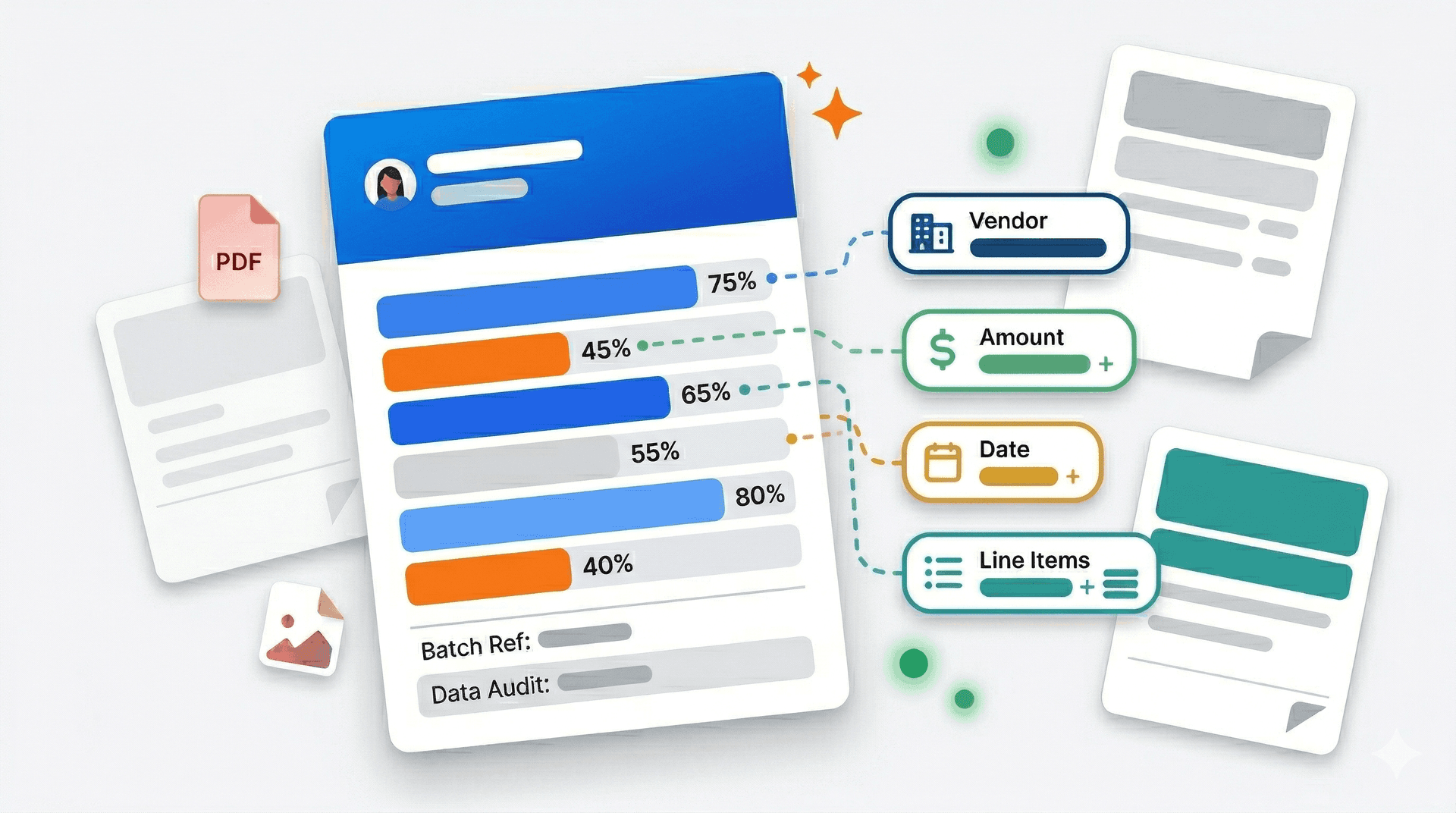
When you upload an invoice in any format (PDF, image, spreadsheet, or document), AI extraction:
- Identifies the document type — Invoice, quote, purchase order, credit note
- Detects the source currency — From currency symbols, ISO codes, or contextual clues
- Extracts structured data — Vendor details, line items, quantities, unit prices, totals
- Validates extraction — Cross-checks line items against totals, flags discrepancies
Supported formats:
- PDF (native and scanned)
- Images: PNG, JPEG, WebP, HEIC (iPhone photos)
- Spreadsheets: CSV, XLSX
- Documents: DOCX
Step 2: Real-Time Currency Conversion
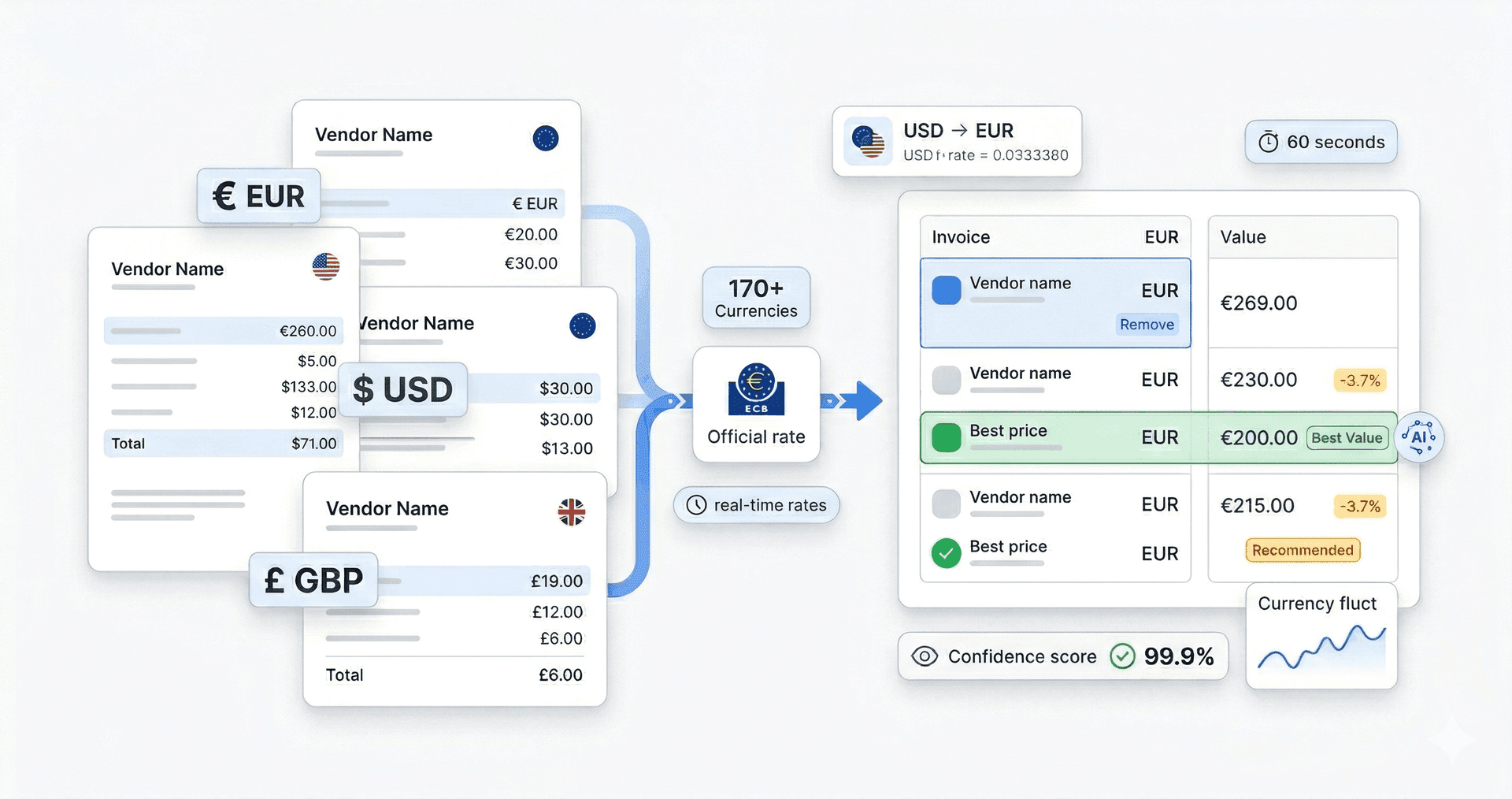
Using the European Central Bank's official rates, TRO Matcher:
- Fetches the correct rate — Either current rate or historical rate for the invoice date
- Converts all amounts — Line items, subtotals, taxes, and grand totals
- Preserves original values — Both amounts are stored for audit trails
- Updates dynamically — Rates refresh daily at 16:00 CET
Why ECB rates?
- Official benchmark used by banks and governments
- No hidden markups or spread manipulation
- Historical rates back to 1999 for accurate backdating
- Free, transparent, and auditable
Step 3: Normalized Comparison View
With all invoices converted to your base currency, you can:
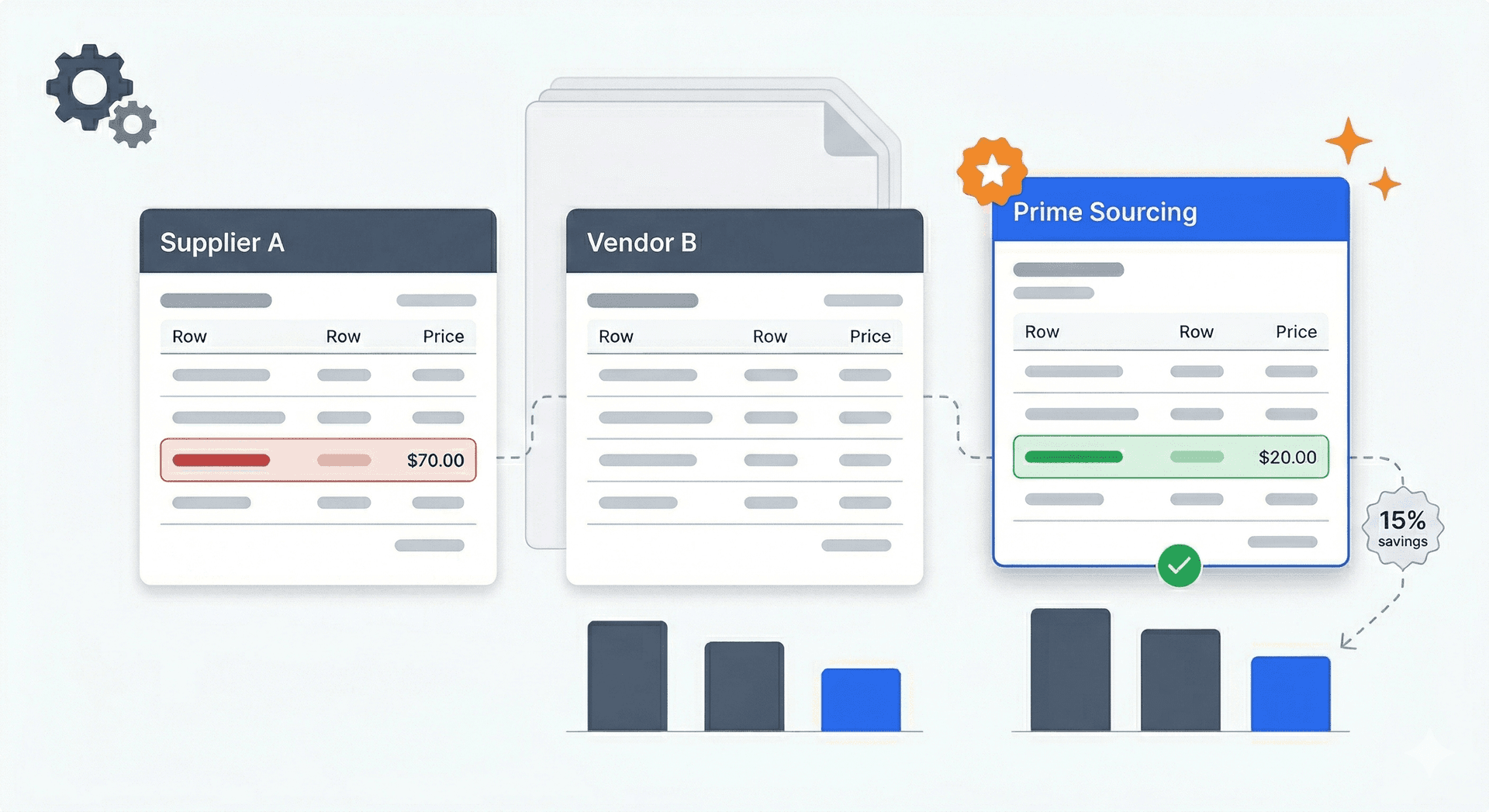
- Compare up to 5 vendors side-by-side in a single view
- See price variance highlighting — Identify which supplier offers best value per item
- Get AI recommendations — Automatic best-value identification with explanations
- Export comparison reports — PDF or CSV with both original and converted amounts
The comparison workflow:
- Upload invoices from multiple suppliers (any currencies)
- System normalizes all prices to your base currency
- Side-by-side view shows price variance with highlighting
- AI recommends best-value vendor with reasoning
- Export comparison for stakeholder review or records
Technical Architecture
TRO Matcher's multi-currency system uses:
- Google Gemini AI for document extraction with 99.9% accuracy
- European Central Bank rates covering 170+ currencies
- Invoice-date conversion for accurate historical comparisons
- Automatic currency detection from ISO codes and symbols
- Fallback handling for ambiguous currencies (user prompt)
Multi-Currency Invoice Software: What to Look For
Not all invoice processing tools handle multiple currencies well. Here's a checklist for evaluating multi-currency capabilities:
Essential Features (Must-Have)
| Feature | Why It Matters | TRO Matcher |
|---|---|---|
| Currency count | Limited currency support excludes suppliers | 170+ currencies |
| Rate source | Bank rates include hidden markups | ECB official rates |
| Historical rates | Invoice-date accuracy for bookkeeping | Yes (back to 1999) |
| Auto-detection | Manual currency selection slows processing | AI-detected |
| Original + converted | Audit trails require both amounts | Full preservation |
| Multi-vendor comparison | Single-vendor tools miss the point | Up to 5 simultaneous |
Nice-to-Have Features
| Feature | Use Case | TRO Matcher |
|---|---|---|
| Line item comparison | Beyond totals — unit price variance | Yes |
| AI recommendations | Automated best-value identification | Yes |
| Export flexibility | QuickBooks, Xero, ERP compatibility | CSV + PDF |
| Mobile upload | Photograph invoices anywhere | 8 formats including HEIC |
| No per-user pricing | Scale without cost explosion | Yes |
Red Flags to Avoid
- "Supports major currencies only" — You'll hit limitations with emerging market suppliers
- "Exchange rates updated weekly" — Unacceptable in volatile markets
- "Requires manual currency selection" — Defeats the purpose of automation
- "Per-user pricing" — Costs explode as your team grows
- "Annual contracts required" — Locks you in before proving value
For Accountants and Bookkeepers Serving International Clients
If you manage finances for clients with international suppliers, multi-currency invoice processing solves several chronic pain points:
The Month-End Currency Reconciliation Problem
Traditional workflow:
- Client sends batch of international invoices
- You look up historical rates for each invoice date
- Manual conversion and entry into accounting software
- Reconcile with bank statements (often different rates)
- Document rate sources for audit trail
Time required: 2-4 hours per client with significant international spend.
With automated multi-currency processing:
- Client uploads invoices throughout the month
- System converts automatically with invoice-date rates
- Export batch to accounting software
- Clear audit trail with rate documentation built-in
Time required: 15-30 minutes per client.
Supporting Client Growth
When clients expand internationally, their accounting needs grow exponentially. Automated multi-currency processing scales without adding headcount:
- 10 international invoices/month: Manual processing acceptable
- 50 international invoices/month: Manual processing becomes bottleneck
- 100+ international invoices/month: Automation essential
By offering automated multi-currency support, you can serve growing clients without proportional time increases — protecting margins while delivering better service.
Rate Documentation for Audits
HMRC and tax authorities require documented exchange rates for:
- VAT calculations on imports
- Corporation tax reporting
- Transfer pricing documentation
- Customs duty calculations
TRO Matcher's CSV exports include:
- Original currency and amount
- Conversion rate used
- Rate date and source
- Converted amount in base currency
This documentation satisfies audit requirements without additional work.
Your Data, Your Control: GDPR Article 20 Compliance
International businesses face data portability requirements under GDPR Article 20 and similar regulations. TRO Matcher is built for compliance:
Full Data Portability
- Export everything: All invoices, conversions, comparisons, and recommendations
- Standard formats: CSV and PDF exports compatible with any system
- No export fees: Download your data anytime, unlimited
- Complete history: Full extraction and conversion history preserved
No Vendor Lock-In
- Month-to-month billing: Cancel anytime without penalties
- Data ownership: Your invoices and extracted data belong to you
- Bulk export: Download all data at once for enterprise needs (Pro plan)
- Self-service deletion: Remove your data entirely when needed
Privacy by Design
- EU data processing: GDPR-compliant infrastructure
- Encryption: In transit (TLS 1.3) and at rest (AES-256)
- Minimal retention: Configurable data retention policies
- No data selling: Your invoice data is never sold or shared
TRO Matcher vs. Alternative Solutions
Multi-currency invoice processing options range from other SMB tools to manual spreadsheets. Here's how they compare:
Other Invoice Processing Tools
Best for: Bookkeepers, accountants, and small business owners
| Factor | Hubdoc | Dext | Autoentry | TRO Matcher |
|---|---|---|---|---|
| Target market | Xero users | Accountants | UK accountants | Bookkeepers, accountants, SMBs |
| Currencies | 100+ | 100+ | 100+ | 170+ |
| Starting price | $20+/mo | $34/mo | $24/mo | Free |
| Multi-vendor comparison | No | No | No | Yes (up to 5) |
| AI recommendations | No | No | No | Yes |
| Xero/Sage Integration | Xero only | Yes | Yes | Native (PRO) |
The verdict: Other tools like Hubdoc, Dext, and Autoentry focus on extraction only. TRO Matcher adds multi-currency vendor comparison to help you find the best deals.
Manual Methods: Excel + xe.com
Best for: Businesses processing fewer than 10 international invoices monthly
| Factor | Manual Excel | TRO Matcher |
|---|---|---|
| Cost | "Free" (time not counted) | Free tier available |
| Time per invoice | 15-25 minutes | 60 seconds |
| Error rate | 3-5% | <0.1% |
| Currency count | Unlimited (manual lookup) | 170+ (automatic) |
| Audit trail | Manual documentation | Automatic |
| Multi-vendor comparison | Manual setup required | Built-in |
The verdict: Manual processing works for very low volumes, but the hidden time costs make it expensive. At 10+ international invoices monthly, automation pays for itself.
Feature Comparison Summary
| Feature | Hubdoc | Dext | Autoentry | TRO Matcher |
|---|---|---|---|---|
| Multi-currency | Yes | Yes | Yes | Yes (170+) |
| Auto-conversion | Limited | Limited | Limited | Yes (ECB) |
| Vendor comparison | No | No | No | Yes (up to 5) |
| AI recommendations | No | No | No | Yes |
| Free tier | No | No | No | Yes |
| SMB pricing | No | $45+/user | No | $0-19/month |
| No contracts | No | Optional | No | Yes |
| Setup time | Months | Days | Months | 5 minutes |
Case Study: Import Business Saves 8 Hours Monthly
Company: Northern European Imports Ltd Industry: Wholesale distribution (food products) Size: 15 employees International spend: EUR 1.2M annually from 23 suppliers across 8 countries
The Challenge
Northern European Imports sources specialty food products from suppliers in France, Italy, Spain, Germany, Poland, Sweden, Netherlands, and the UK. Each month, they received 60-80 invoices in four currencies (EUR, SEK, PLN, GBP) plus credit notes and delivery adjustments.
Before TRO Matcher:
- AP manager spent 2+ hours daily on invoice processing
- Monthly vendor payment runs took entire day to prepare
- Quarterly supplier reviews relied on incomplete data
- Currency conversion errors caused 3-4 disputes per quarter
The Implementation
The AP manager uploaded three months of historical invoices during lunch break on Day 1. By end of day:
- All invoices extracted and converted to base currency (GBP)
- Price variance across suppliers immediately visible
- Two significant pricing discrepancies flagged automatically
Quote from AP Manager:
"Within the first week, we found EUR 3,200 in accumulated overcharges from one supplier — small increases on individual invoices that had gone unnoticed for months."
The Results (After 90 Days)
| Metric | Before | After | Improvement |
|---|---|---|---|
| Time per invoice | 18 minutes | 2 minutes | 89% reduction |
| Monthly processing time | 20 hours | 2.5 hours | 87% reduction |
| Currency errors | 3-4/quarter | 0 | 100% elimination |
| Supplier disputes | 4/quarter | 0 | Eliminated |
| Identified overcharges | Unknown | EUR 8,400/year | New visibility |
ROI Calculation
- Time savings: 17.5 hours/month × £35/hour = £612.50/month
- Error elimination: £500/month (average dispute cost)
- Overcharge recovery: £700/month (ongoing)
- Total monthly benefit: £1,812.50
- TRO Matcher cost: £49/month (Pro plan)
- Net monthly ROI: £1,763.50 (36x return)
Frequently Asked Questions
What is the best software for multi-currency invoice processing?
The best multi-currency invoice software automatically extracts data from invoices in any currency, converts using current exchange rates, and enables apples-to-apples vendor comparison. TRO Matcher supports 170+ currencies with automatic ECB conversion rates, processes invoices in 60 seconds, and is available free for SMBs. While tools like Hubdoc ($20+/month with Xero) and Dext ($34-100/month) focus primarily on extraction, TRO Matcher provides invoice comparison features specifically designed for international vendor evaluation—at a fraction of the cost.
How many currencies does TRO Matcher support?
TRO Matcher supports 170+ world currencies using official European Central Bank exchange rates. This includes all major trading currencies (USD, EUR, GBP, JPY, CNY) plus emerging market currencies often missing from competing tools. Rates are updated daily at 16:00 CET, and historical rates are available back to 1999 for accurate invoice-date conversions.
How does automatic currency conversion work for invoices?
When you upload an invoice in any currency, TRO Matcher's AI extracts line items and amounts, detects the currency from symbols or ISO codes, and automatically converts to your base currency using the ECB rate for that invoice date. The system preserves both original and converted amounts for audit trails. You can compare vendors across EUR, USD, GBP, and 167 other currencies side-by-side without any manual rate lookups.
What are the hidden costs of manual currency conversion?
Manual currency conversion costs SMBs through five channels: time (15+ minutes per invoice lookup and calculation), errors (3-5% conversion mistake rate), outdated rates (using stale exchange rates costs 2-4% per transaction), opportunity costs (skipping comparison because it's too time-consuming), and compliance gaps (missing rate documentation for audits). Businesses with international suppliers typically lose $500-$2,000 annually to these hidden costs.
Can small businesses afford multi-currency invoice software?
Yes. While tools like Hubdoc ($20+/month with Xero) and Dext ($34-100/month) focus primarily on extraction, TRO Matcher offers multi-currency support with comparison features in all plans including the free tier. The free plan includes 10 invoice uploads (lifetime) and 5 comparisons (lifetime) — enough for businesses just starting with international suppliers. Unlike per-user pricing models, TRO Matcher's $19/month PRO plan covers your entire team with 100 extractions and 20 comparisons monthly.
How accurate are ECB exchange rates for business invoicing?
ECB reference rates are the standard benchmark used by banks, corporations, and governments across Europe. Published daily at 16:00 CET, they provide reliable mid-market rates without hidden markups or spread manipulation. Unlike bank rates that include margins, ECB rates represent actual market exchange values. TRO Matcher uses these official rates for consistent, auditable conversions that satisfy tax authority requirements.
What file formats work for international invoice processing?
TRO Matcher processes 8 formats: PDF (native and scanned), PNG, JPEG, WebP, HEIC (iPhone photos), CSV, DOCX, and XLSX. International invoices from any country in any format can be uploaded and processed with AI extraction in under 60 seconds. This includes invoices photographed with mobile phones, scanned documents, digital PDFs from supplier portals, and spreadsheet exports.
How do I compare vendors in different currencies?
Upload invoices from multiple suppliers regardless of currency — TRO Matcher handles the rest. The system extracts data from each invoice, converts all amounts to your base currency using appropriate exchange rates, and displays side-by-side comparison with price variance highlighting. AI recommendations identify the best-value vendor factoring in currency-converted prices, and you can export the comparison as PDF or CSV.
Is multi-currency invoice data exportable and GDPR compliant?
Yes. TRO Matcher is fully GDPR compliant including Article 20 Data Portability. Export all invoice data, currency conversions, and comparison reports at any time in CSV or PDF format. CSV exports include original amounts, currency codes, conversion rates, rate dates, and converted amounts — providing complete audit trails. No export fees, no data access charges, and no vendor lock-in.
What is the ROI of multi-currency invoice software for SMBs?
SMBs with international suppliers typically see ROI within the first month. Based on 12+ minutes saved per multi-currency comparison (vs. manual processing), elimination of 3-5% conversion errors, and better vendor selection from normalized pricing, businesses processing 20+ international invoices monthly report annual savings exceeding EUR 1,800 on average. The free tier makes starting entirely risk-free.
Compare international invoices in your currency. Upload invoices in EUR, GBP, USD, or 167 other currencies. AI converts everything to your base currency for direct comparison.
Compare International Invoices in 60 Seconds
Upload invoices in any currency and see normalized prices instantly. 170+ currencies supported via ECB rates. Free to start — no credit card required.
Start Free