About TRO Invoice Matcher
What is TRO Invoice Matcher?
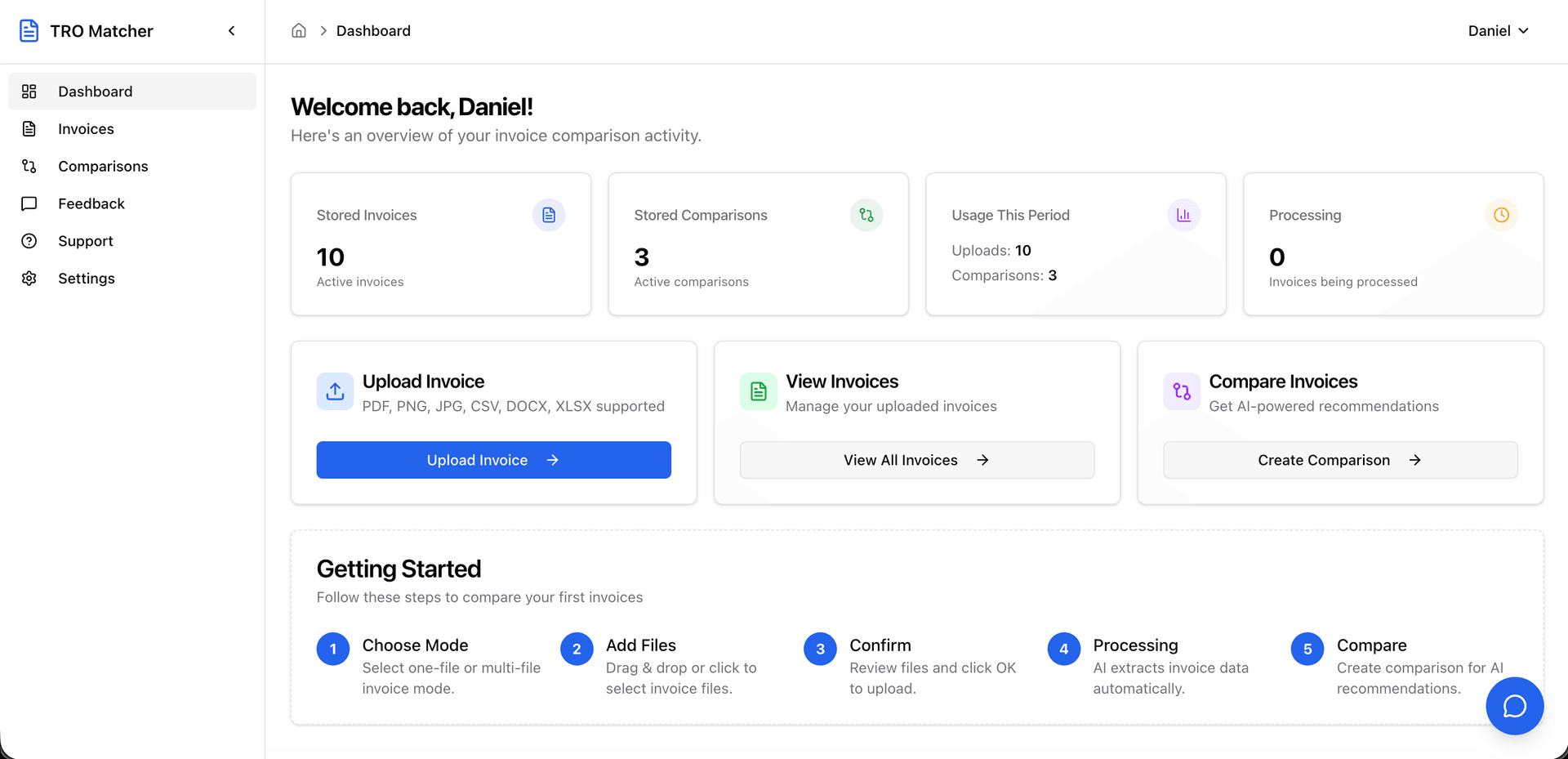
TRO Invoice Matcher is a SaaS tool that helps small and medium businesses compare supplier invoices. Upload invoices in any format (PDF, Excel, images), and the system extracts the data using Google Gemini AI. Then you can view invoices side-by-side to spot price differences and pick the better deal.
How does it work?
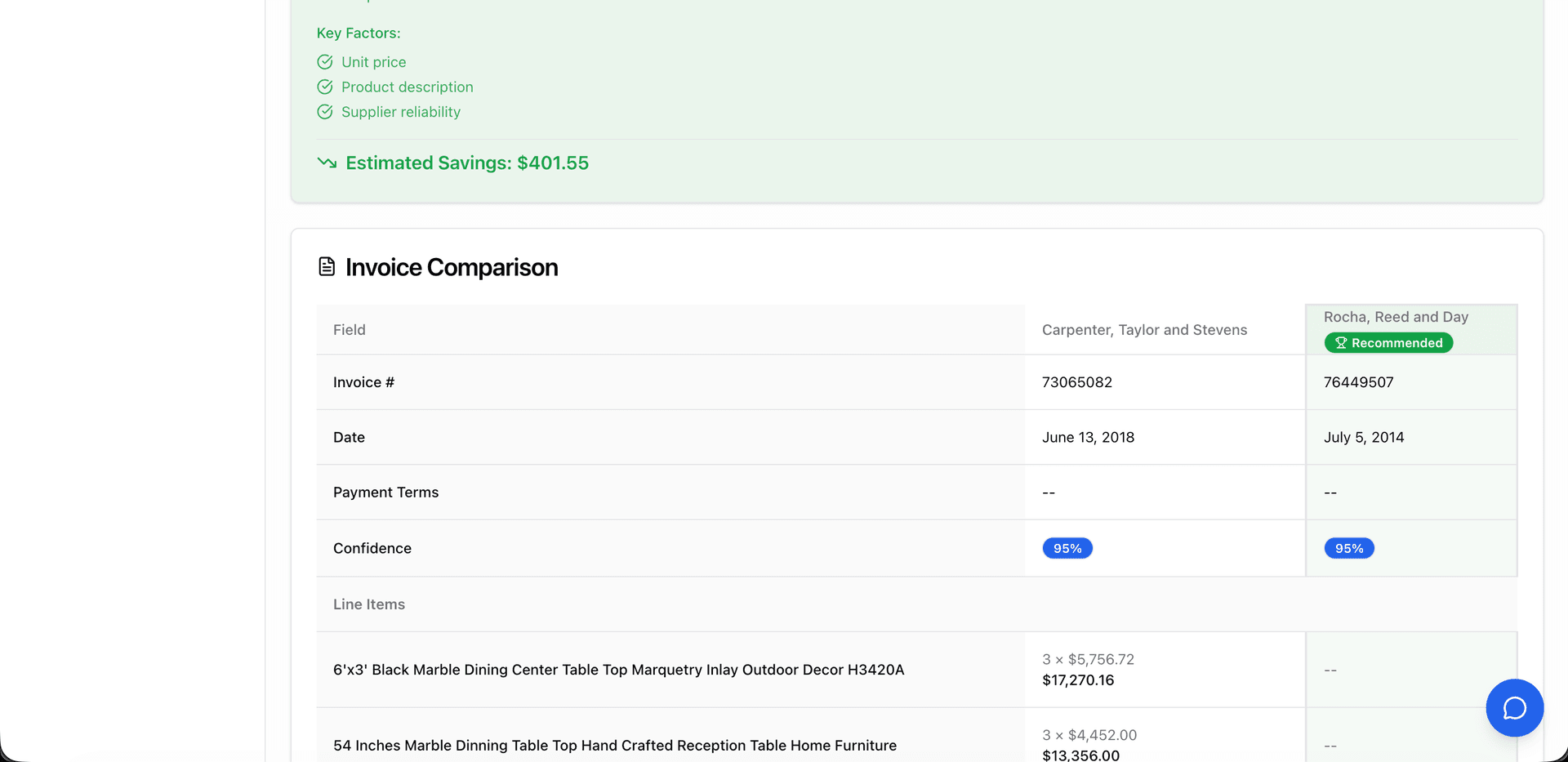
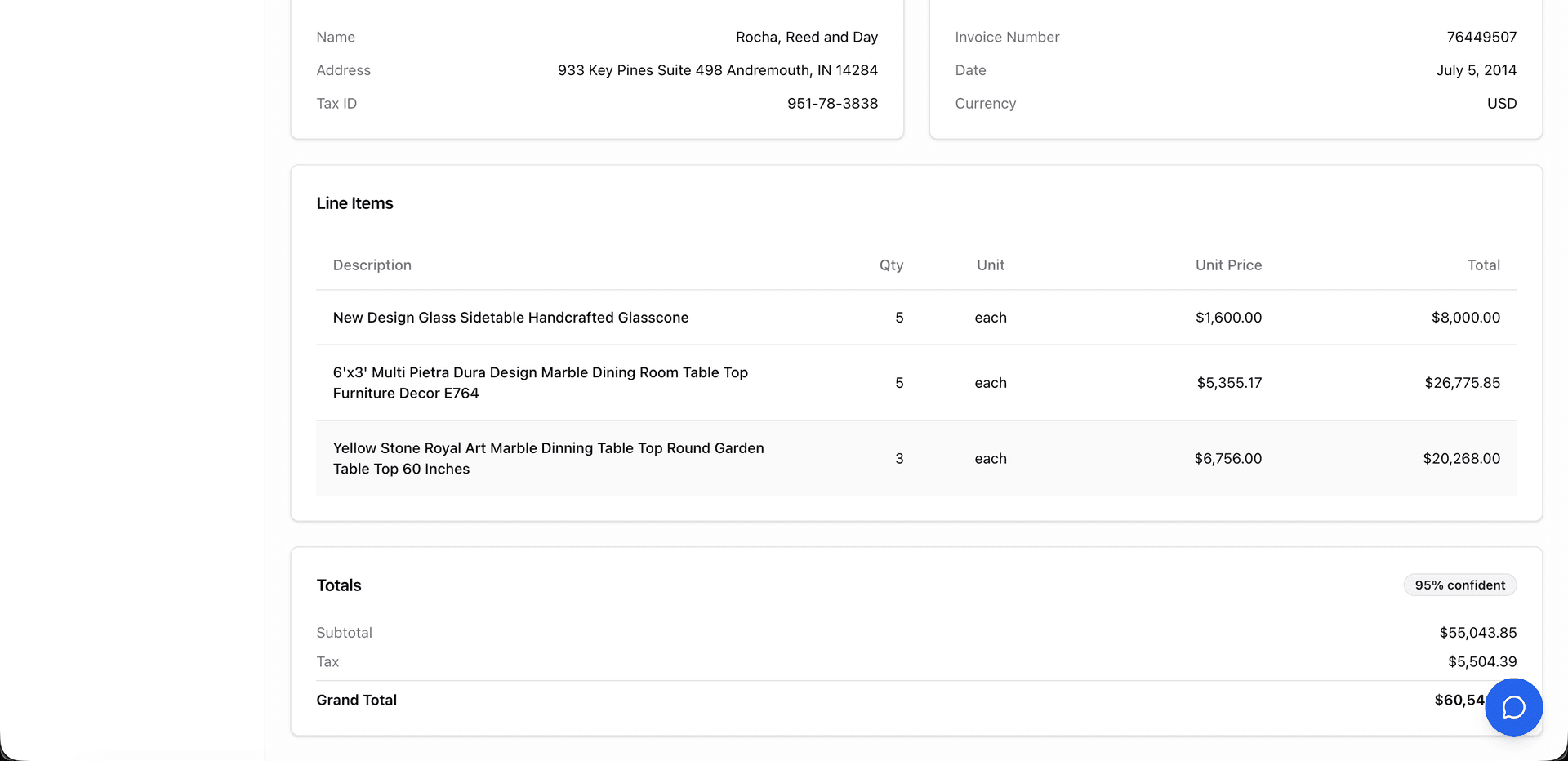
Three steps: (1) Upload invoices from different suppliers—PDF, Excel, Word, CSV, or photos. (2) The AI pulls out line items, prices, quantities, and vendor details. Each field gets a confidence score so you know what to double-check. (3) Compare invoices side-by-side and see which supplier offers better pricing.
What does TRO Invoice Matcher cost?
Three plans: Free (5 comparisons, 10 uploads/month, no card required), Starter at $19/month (50 comparisons, 100 uploads, email support), and Pro at $49/month (unlimited everything, priority processing, chat support). All plans include data extraction and PDF/CSV export.
Who uses this tool?
Mostly SMBs that compare supplier quotes regularly: retail stores, restaurants and hotels (HORECA), construction companies, manufacturers, and wholesalers. Anyone who gets invoices from multiple vendors for similar items.
Is my data secure?
Yes. GDPR and CCPA compliant. All data encrypted in transit and at rest. Your invoices are never shared with third parties. You can export or delete everything from account settings anytime.
What can TRO Invoice Matcher do?
Six main things: (1) Extract data from invoices automatically—works with PDFs, Excel, Word, CSV, images, even phone photos of paper invoices. (2) Compare up to 5 invoices side-by-side. (3) Handle 8+ file formats. (4) Get recommendations on which vendor has better pricing. (5) Review everything before you trust it—confidence scores show uncertain extractions. (6) Export to PDF or CSV for your records or accounting software.
What file types are supported?
PDF, Excel (.xlsx, .xls), CSV, Word (.docx), and images (PNG, JPEG, HEIC). Scanned documents and phone photos work too—the AI handles messy or poorly-lit images.
How accurate is the extraction?
The AI (Google Gemini) handles most invoice layouts, currencies, and languages well. Every extracted field shows a confidence score, so you can quickly spot anything that needs manual review. You always check the data before using it.
How is this different from other invoice tools?
Most AP automation tools match invoices to purchase orders. TRO Invoice Matcher focuses on comparing quotes from different suppliers to find the best price. Free tier available, no complex setup, and you get recommendations explaining why one vendor might be better.
How much time does this save?
Users report 4+ hours saved weekly. Manual invoice comparison takes 15-20 minutes per invoice with typical error rates of 1-4%. The tool processes invoices in about 60 seconds and eliminates data entry mistakes.
Why not just use Excel?
Excel requires manual data entry—15-20 minutes per invoice, and typos happen. No automatic line item matching, no recommendations. TRO Invoice Matcher extracts data in under a minute, aligns items across invoices automatically, highlights price differences, and tells you which vendor is cheaper. If you process 20+ invoices monthly, the time savings cover the cost.
Can I compare invoices in different currencies?
Yes. Supports 170+ currencies with automatic conversion using ECB exchange rates (updated daily). When comparing invoices in EUR, USD, GBP, or other currencies, everything converts to your chosen base currency for accurate comparison.
Does it work with QuickBooks?
Yes. Export extracted data as CSV and import directly into QuickBooks. Upload your invoice, review the extracted data, download CSV, then use QuickBooks import (File > Utilities > Import). Works with Xero, FreshBooks, and other accounting software too.
How do I get data into Xero?
Export from TRO Invoice Matcher as CSV, then import into Xero via Business > Bills to Pay > Import. The export format matches what Xero expects, so no reformatting needed.
Can I export all my data?
Yes. GDPR-compliant data export from your profile settings. Request a full export (invoices, comparisons, account info) in JSON or CSV. Ready within minutes, available for download for 7 days.
Is there a free plan?
Yes. 10 invoice extractions and 5 comparisons per month, no credit card required. Includes AI extraction, side-by-side comparison, and PDF/CSV export. Paid plans start at $19/month for more volume.
How does comparing invoices save money?
Price differences between suppliers are invisible when you look at invoices one at a time. Put them side-by-side with normalized line items, and the gaps become obvious. Users typically find 5-15% cost reductions by switching vendors for specific items.
What do the AI recommendations show?
After comparing invoices, you get suggestions for which supplier offers better value on each line item. The recommendation considers unit price, total cost, and quantity. Each suggestion includes reasoning—not just "Vendor A is cheaper" but why.
What export options are there?
Two formats: PDF for professional reports with formatted tables and price comparisons (good for sharing or records), and CSV for importing into accounting software like QuickBooks, Xero, or spreadsheets.
What is AP automation?
AP automation (accounts payable automation) uses software to handle invoice processing instead of manual data entry. Manual processing costs $12-20 per invoice; automation brings it down to around $2-3. TRO Invoice Matcher adds supplier comparison on top—find the best price, not just process the invoice.
What should I look for in invoice comparison software?
Key features: automatic data extraction (no manual typing), side-by-side comparison view, automatic line item matching across invoices, price difference highlighting, export to CSV/PDF, and multi-currency support if you work with international vendors.