

Stop Comparing Invoices in Excel: Cut Processing Time 85% (Real Benchmarks)
Manual Excel comparison costs SMBs $15,000+ annually in hidden costs. See real data: 85% time reduction, 1-4% error elimination, ROI in first month. Free to start.
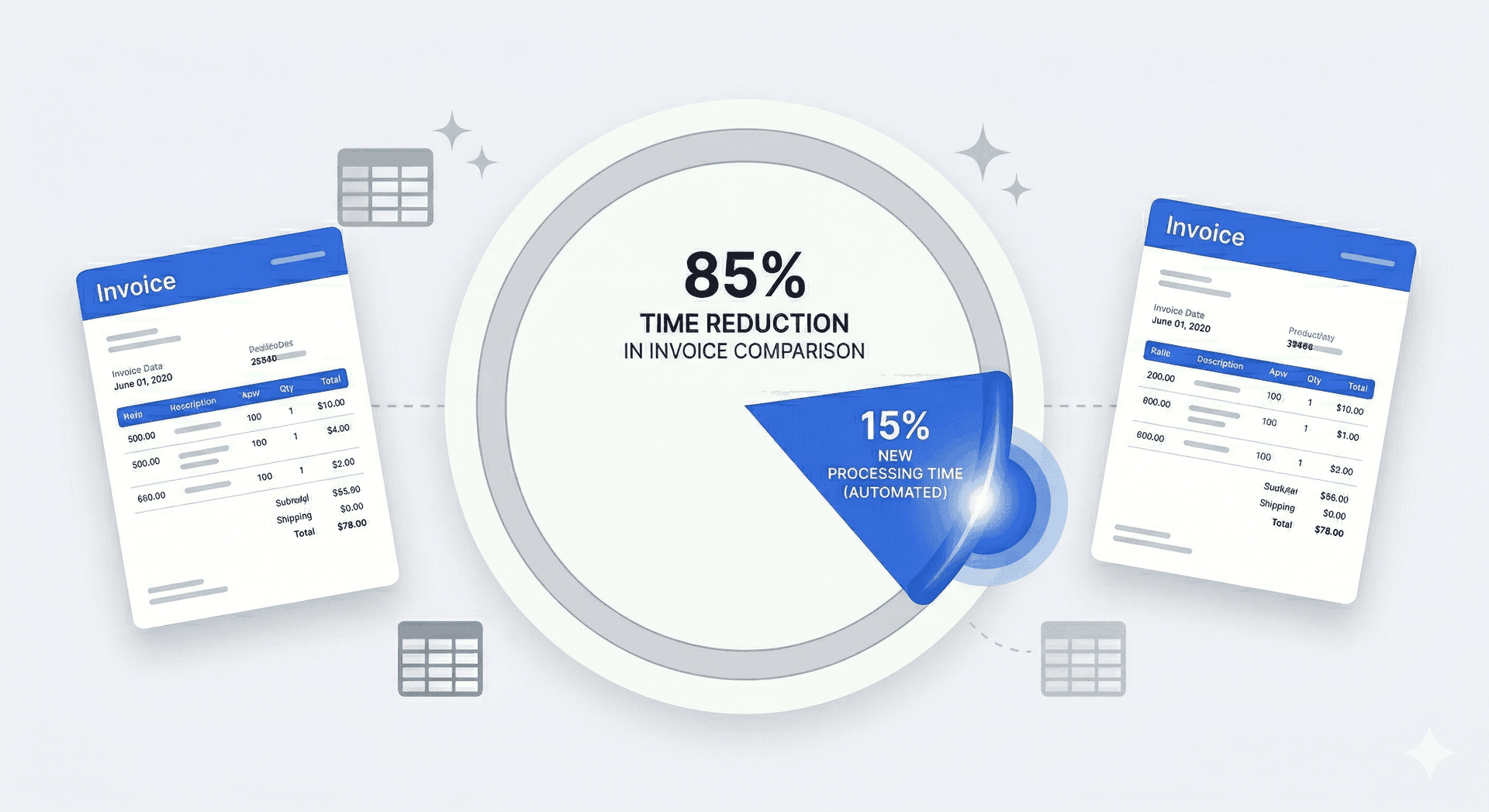
Emma Richardson spent two full days every month buried in spreadsheets comparing invoices. In her first quarter using AI comparison, she found £4,800 in vendor overcharges—errors she never would have caught manually. Excel invoice comparison costs SMBs $15,000+ annually in hidden costs: 12-16 hours monthly in labour, 1-4% error-driven overpayments, and missed early-pay discounts (IOFM 2024). AI comparison cuts processing time 85% while eliminating data entry errors entirely.
The Hidden Cost of Spreadsheets
- Manual data entry has a 1-4% error rate across fields, even for trained staff (AP industry benchmarks)
- On $100K annual procurement, a 2.5% overpayment rate costs $2,500 in preventable losses each year
- AI extraction reduces invoice processing from 15-20 minutes to under 2 minutes—an 85-90% time reduction
- For SMBs where the owner reviews invoices instead of a dedicated AP clerk, automation eliminates the back-office bottleneck
Manual Excel invoice comparison costs SMBs an average of 4+ hours weekly and introduces a 1-4% data entry error rate across fields. When you don't have dedicated accounts payable staff—and most small businesses don't—those errors go undetected until they become overpayments. Here's what the real cost looks like and when it makes sense to switch.
Every Week You Wait: With procurement costs rising and margins tightening, the $200-$400 monthly you're losing to Excel-based comparison is money that could be protecting your business. The calculation is simple: if you're processing more than 20 invoices monthly, you're paying more for Excel comparison than automation costs.
What business owners discovered after switching:
"I spent 2 full days every month buried in spreadsheets. Found £4,800 in vendor overcharges in the first quarter — errors I never would have caught manually." — Emma Richardson, Office Manager, Midlands Wholesale Distribution
"The 85% time reduction sounded too good. But when you're not typing every line item, it's actually conservative. I'm done before my second coffee." — Tom Bradley, Owner, Bradley Construction Services
Q: What is AP automation and does TRO Matcher provide it? A: AP automation digitizes invoice processing from receipt to payment. Invoice capture tools like Hubdoc and Dext focus on extraction. TRO Matcher provides the core function SMBs need: AI invoice extraction and comparison with CSV export to QuickBooks and Xero — plus vendor comparison features not found in extraction-only tools.
Q: What is line item matching in invoice verification? A: Line item matching compares individual products against the original order and quoted prices — not just invoice totals. This catches per-item overcharges like "$12.99/lb billed instead of $11.99/lb quoted". TRO Matcher extracts and matches line items in under 60 seconds using Google Gemini AI.
Contents
- How much time does manual invoice comparison take?
- What are the hidden costs of Excel invoice comparison?
- How does AI invoice comparison solve these problems?
- When should you switch from Excel to AI?
- For Accountants and Bookkeepers
- Your Data, Your Control: GDPR Article 20 Compliance
- TRO Matcher vs. Alternative Solutions
- Case Study: Wholesale Distributor Cuts Invoice Processing by 85%
- FAQ
How much time does manual invoice comparison take?
Manual invoice comparison in Excel takes SMBs 15-20 minutes per invoice on average. For a business processing 50 invoices monthly, that's 12-16 hours of manual work—time that could be spent on strategic vendor negotiations or cost analysis.
Where the time goes:
| Task | Time per Invoice | Monthly (50 invoices) |
|---|---|---|
| Manual data entry from PDF/paper | 8-12 min | 6-10 hours |
| Formula creation and comparison | 3-5 min | 2.5-4 hours |
| Error checking and correction | 2-3 min | 1.5-2.5 hours |
| Formatting reports | 2-3 min | 1.5-2.5 hours |
| Total | 15-20 min | 12-16 hours |
For a 10-person professional services firm where the office manager handles invoices between other responsibilities, those 12-16 hours aren't "just" time—they're the reason vendor reviews happen quarterly instead of weekly, and the reason pricing errors slip through.
The staff shortage compounds the problem. Most SMBs don't have dedicated AP staff. The person comparing invoices is also answering phones, managing schedules, and handling payroll. Invoice comparison becomes the task that gets done "when there's time"—which means errors accumulate silently.
What Are the Hidden Costs of Excel Invoice Comparison? ($15,000+ Annually)
The true cost of Excel-based invoice comparison extends beyond time. AP industry benchmarks show manual data entry has a 1-4% error rate across fields, even for trained staff—leading to overpayments, missed discounts, and vendor disputes.
Hidden cost breakdown for a typical SMB ($200K annual procurement):
| Cost Category | Annual Impact | How It Happens |
|---|---|---|
| Labour cost | $5,600-$8,960 | 12-16 hrs/month × $35/hr × 12 months |
| Overpayment from errors | $2,000-$8,000 | 1-4% error rate on $200K spend |
| Missed early-pay discounts | $2,000-$4,000 | 2% discount missed on 50% of eligible invoices |
| Opportunity cost | Unquantified | Strategic analysis delayed for data entry |
| Compliance risk | Variable | Audit trail gaps in spreadsheet versions |
"For an SMB with $200K in annual procurement, the total hidden cost of manual Excel comparison can exceed $15,000 annually—30 times the cost of an AI automation tool."
That's before counting the vendor disputes that damage relationships, or the time spent re-checking numbers when something doesn't add up at quarter-end.
Still using Excel for invoice comparison? Upload a real invoice and see the difference. Your spreadsheet skills are valuable—let AI handle the data entry.
How Does AI Invoice Comparison Solve These Problems? (85% Time Reduction)
AI-powered invoice comparison tools extract data automatically from any format (PDF, images, Excel) in under 60 seconds with confidence scoring on every field. TRO Matcher's side-by-side comparison highlights price differences instantly and provides vendor recommendations with reasoning.
How the process works:
-
Upload any format: PDF, phone photo, Excel, or CSV. Snap a photo from your phone and the AI handles it—no retyping.
-
Automatic data extraction: AI extracts vendor details, line items, quantities, unit prices, and totals in under 60 seconds with confidence scores showing extraction certainty on every field.
-
Side-by-side comparison: Compare up to 5 vendor quotes or match invoices against original purchase orders. Price variances are highlighted instantly.
-
Actionable recommendations: Get AI-generated suggestions for which vendor offers the best value, with reasoning you can review and override.
-
Export for your systems: Download results as CSV for import into QuickBooks, Xero, or your accounting software, or as a PDF report for stakeholders.
Time and accuracy comparison:
| Metric | Excel Method | AI Method (TRO Matcher) |
|---|---|---|
| Time per invoice | 15-20 min | 1-2 min |
| Monthly time (50 invoices) | 12-16 hours | 1-2 hours |
| Error rate | 1-4% (industry benchmark) | ~0% (with human review) |
| Cost savings identified | Baseline | 30% average more opportunities found |
| Formats supported | Manual copy-paste | 8 formats auto-extracted |
| Currency conversion | Manual lookup | Automatic (ECB rates) |
| Centralised storage | Scattered across drives/email | All invoices in one searchable place |
When businesses switch from spot-checking to reviewing every invoice, they consistently identify cost-saving opportunities they'd otherwise miss—simply because systematic comparison catches what sporadic manual review cannot.
Related reading: How Construction Companies Save 30% on Material Costs shows how industry-specific invoice comparison drives even greater savings through systematic vendor analysis.
Also see: Restaurant Owner's Guide to Supplier Cost Control — how restaurants cut food costs by 3-7% with AI-powered supplier invoice verification.
For manufacturers: Manufacturing Procurement: Comparing Vendor Quotes Fast — how manufacturers cut procurement costs 15-25% with AI-powered vendor quote comparison.
For retailers: Retail Inventory: Stop Overpaying Wholesale Suppliers — how independent retailers catch wholesale pricing discrepancies and protect margins averaging 3-10%.
When should you switch from Excel to AI?
Switch from Excel to AI invoice comparison when you're processing more than 20 invoices monthly or when vendor negotiation represents significant cost savings potential. The ROI typically pays back within the first month of use.
Signs it's time to switch:
- Spending more than 4 hours/week on invoice comparison
- Making data entry errors that cause payment issues
- Missing early payment discounts due to slow processing
- Unable to track savings opportunities across vendors
- The same person doing invoices is also doing three other jobs
ROI breakpoint analysis:
| Monthly Invoices | Manual Hours | AI Hours | Hours Saved | Value at $35/hr |
|---|---|---|---|---|
| 20 | 5-7 hrs | 0.5 hr | 4.5-6.5 hrs | $157-$228/mo |
| 50 | 12-16 hrs | 1-2 hrs | 10-14 hrs | $350-$490/mo |
| 100 | 25-33 hrs | 2-3 hrs | 22-30 hrs | $770-$1,050/mo |
Even at 20 invoices monthly, the time savings alone exceed TRO Matcher's Pro plan cost ($19/month) by 8-12x. Factor in reduced errors and identified savings, and the ROI multiplies further.
For Accountants and Bookkeepers
TRO Matcher transforms the monthly nightmare of vendor price audits from hours of Excel cross-referencing into a 5-minute client-ready report.
How TRO Matcher helps accounting professionals:
- Fast invoice comparison: Upload client invoices in any format, get side-by-side price variance analysis in minutes
- Audit trail: Every comparison is timestamped and exportable—ready for tax season
- Client-ready exports: Professional PDF reports or CSV files for client review
- Multi-currency support: Handle international vendors with automatic ECB rate conversion
- CSV exports for accounting software: CSV and PDF exports ready for import into QuickBooks, Xero, and other accounting platforms
The partnership opportunity: Accountants and bookkeepers who introduce invoice automation to their clients become indispensable. You're not just doing their books—you're actively finding them money.
When you can show a client you identified $2,000 in vendor overcharges during routine bookkeeping, that's a conversation about value, not just fees. The tool pays for itself; your expertise in using it is what clients pay you for.
Your Data, Your Control: GDPR Article 20 Compliance
Unlike traditional OCR systems that lock your data in proprietary formats, TRO Matcher ensures you always own and control your information.
Why data portability matters for SMBs:
- Tax audit readiness: Export complete invoice comparison history for HMRC, IRS, or local tax authority audits
- Switching freedom: If you change systems, take all your data with you—no vendor lock-in
- Insurance documentation: Maintain proof of vendor pricing for business insurance claims
- GDPR Article 20 compliance: Full self-service data export at any time in standard formats (CSV, PDF)
What you can export:
- All uploaded invoices and extracted data
- Every comparison report with variance analysis
- AI recommendations and comparison results
No phone calls to support, no "export fees," no waiting. Your data is yours—download it anytime.
TRO Matcher vs. Alternative Solutions
| Feature | TRO Matcher | Excel Spreadsheets | Other Invoice Tools (Hubdoc, Dext) |
|---|---|---|---|
| Setup time | 5 minutes | N/A | 5-15 minutes |
| Monthly cost | $0-19 | Free | $20-100/month |
| Learning curve | None | Moderate | Low |
| Data extraction | AI-automated (60s) | Manual typing | AI-automated |
| Accuracy | Up to 99% + confidence scores | 96-99% (1-4% error rate) | 95-99% |
| Quote comparison | AI side-by-side | Manual formulas | Not included |
| Format support | 8 formats (incl. phone photos) | Manual copy-paste | PDF, images |
| Currency conversion | Automatic (ECB rates) | Manual lookup | Varies |
| Data export | One-click (GDPR Art. 20) | Already in Excel | Varies |
| Minimum company size | 1 person | Any | 1 person |
Case Study: Wholesale Distributor Cuts Invoice Processing by 85%
Company: 8-person wholesale distribution business, Midlands (UK)
Monthly invoices processed: ~60 from 15 regular suppliers
Challenge: Office manager spent 2 full days each month manually entering invoice data into Excel and cross-checking against purchase orders. Errors were caught only during quarterly audits, by which time overpayments had already been made.
Before TRO Matcher:
- 16+ hours monthly on invoice comparison
- 2.8% average error rate in data entry
- Overpayments discovered quarterly (avg. £1,200/quarter in corrections)
- No systematic vendor price tracking
After 3 months with TRO Matcher:
- Invoice processing time: 2.5 hours/month (85% reduction)
- Error rate: effectively 0% with confidence-score review
- Vendor price increases caught in real-time (3 overcharges caught in month 1)
- Office manager reallocated 13+ hours/month to customer service
Total first-year impact:
- £4,800 recovered from caught price discrepancies
- £6,200 saved through data-driven supplier negotiations
- 160 hours redirected from data entry to customer-facing work
- 85% reduction in invoice processing time
"I used to dread the first week of every month. Now I upload the invoices on Monday morning, review the AI extraction over coffee, and I'm done before lunch. Last month the system caught a 4% price increase from our packaging supplier that I would have completely missed."
Most users catch their first pricing discrepancy within the first week. Start with invoices you've already "checked" in Excel.
Frequently Asked Questions
How accurate is AI invoice comparison vs Excel?
AI tools like TRO Matcher achieve up to 99% accuracy for invoice data extraction, with confidence scores displayed on every field so you know exactly what to review. Manual Excel entry has a documented 1-4% error rate across trained staff, meaning AI virtually eliminates data entry errors while also saving time. The confidence scoring is the key difference—you see exactly which fields the AI is certain about and which need your attention.
How long does it take to set up automated invoice comparison?
Most businesses are up and running in under 5 minutes. Simply create an account, upload your first invoice, and TRO Matcher extracts the data in approximately 60 seconds. No software installation, no IT involvement, no training required. The interface is designed for people who process invoices as part of a bigger role, not AP specialists.
Can AI handle invoices in different formats?
Yes. TRO Matcher processes 8 formats: PDF, PNG, JPEG, WebP, HEIC (iPhone photos), CSV, DOCX, and XLSX. Whether you receive invoices by email, post, or through supplier portals, the AI handles them all with the same accuracy. Phone photos work too—snap a picture of a paper invoice and upload directly.
What's the ROI of switching from manual to automated comparison?
Based on average labour costs of $25-45/hour and 4+ hours saved weekly, most SMBs see ROI within the first month. For a business saving 16 hours monthly at $35/hour, that's $560/month in labour savings alone—plus reduced overpayments from fewer data entry errors. Even the free tier (10 extractions and 5 comparisons—lifetime) delivers immediate value for low-volume businesses.
Can I import TRO Matcher data into QuickBooks, Xero, and Sage?
Yes. PRO users can push invoices directly to Xero or Sage with one click—invoices appear as draft bills with original file attached. All users can export CSV files for QuickBooks, FreshBooks, and other accounting platforms. PDF reports are also available for record-keeping.
Is my invoice data secure and GDPR compliant?
TRO Matcher uses AES-256 encryption at rest and TLS 1.2+ in transit. We comply with GDPR (EU) including Article 20 Data Portability, UK GDPR, CCPA (California), and PIPEDA (Canada). Your invoice data is processed by Google Gemini AI for extraction only—never sold, never used for AI training. You can export or delete your data at any time.
How does TRO Matcher compare to other invoice tools?
Invoice capture tools like Hubdoc ($20+/month with Xero), Dext ($34-100/month), and Autoentry ($24-72/month) focus primarily on extraction. TRO Matcher starts free and offers the unique combination of AI extraction plus vendor comparison with recommendations. It's built for bookkeepers, accountants, and small business owners who need both extraction and comparison capabilities.
Can I export all my data from TRO Matcher?
Yes. TRO Matcher provides GDPR Article 20 compliant self-service data export. From your profile settings, export all your invoices, comparison reports, extracted data, and AI recommendations in CSV or PDF format. No export fees, no waiting, no phone calls to support. Your data is portable by design—we believe vendor lock-in has no place in modern SaaS.
Sources and Methodology
This analysis is based on:
- AP industry benchmarks: Manual data entry error rate studies (1-4% across trained staff, widely cited in IOFM and APQC research)
- TRO Matcher Platform Data: Analysis of invoice processing metrics across SMB users
- Industry standards: Labour cost benchmarks for AP/bookkeeping roles in US, UK, EU markets
Bottom Line
For businesses processing 20+ invoices monthly, the maths is clear: manual Excel comparison costs 4+ hours weekly, introduces a 1-4% error rate, and hides thousands in annual overpayments. When the person reviewing invoices is also running the business, those errors don't get caught—they get paid.
AI-powered tools eliminate this overhead, paying for themselves within the first month through time savings alone. The question isn't whether automation saves money—it's how much you're losing by waiting.
"AI-powered invoice comparison reduces SMB invoice processing time by 85-90% while eliminating the 1-4% manual error rate. For businesses spending $200K+ annually on procurement, the hidden cost of Excel-based comparison—including labour, errors, and missed discounts—can exceed $15,000 per year, compared to $0-588 annually for automated tools with full GDPR Article 20 data portability."
Ready to ditch the spreadsheet? Upload your first invoice free — no credit card required. See results in under 60 seconds.
Ditch the Spreadsheet — Compare Invoices in 60 Seconds
Upload two invoices and see pricing differences instantly. AI extraction replaces manual data entry. Free to start — no credit card required.
Start Free